9
Self-Contained Scala Scripts
| 9.1 Reading Files Off Disk | 167 |
| 9.2 Rendering HTML with Scalatags | 168 |
| 9.3 Rendering Markdown with Commonmark-Java | 170 |
| 9.4 Links and Bootstrap | 174 |
| 9.5 Optionally Deploying the Static Site | 178 |
os.write(
    os.pwd / "_blog/index.html",
    doctype("html")(
        html(
            body(
                h1("Blog"),
                for (_, suffix, _) <- postInfo
                yield h2(a(href := ("post/" + mdNameToHtml(suffix)))(suffix))
            )
        )
    )
)
9.1.scala
Snippet 9.1: rendering a HTML page using the third-party Scalatags HTML library
Scala Scripts are a great way to write small programs. Each script is self-contained and can download its own dependencies when necessary, and make use of both Java and Scala libraries. This lets you write and distribute scripts without spending time fiddling with build configuration or library installation.
In this chapter, we will write a static site generator script that uses third-party libraries to process Markdown input files and generate a set of HTML output files, ready for deployment on any static file hosting service. This will form the foundation for Chapter 10: Static Build Pipelines, where we will turn the static site generator into an efficient incremental build pipeline by using the Mill build tool.
We will start from the simplest possible working script:
Blog.scala9.2.scaladefmain()=println("Hello!")
$ ./mill Blog.scala
Hello!
9.3.bash
Starting from this simple script, we will extend it to:
- Read markdown files from the filesystem
- Generate the HTML page skeleton using the Scalatags library
- Parse and render the markdown using the Atlassian Commonmark library
- Link our pages together using hyperlinks and add some CSS to make it look good
- Add an optional flag that deploys the static site to a Git repository
9.1 Reading Files Off Disk
Typically, static site generators take their input as markdown files, possibly
with additional metadata, and use that to generate HTML. For this exercise,
let's assume that there will be a post/ folder that contains any markdown
files we want to convert into blog posts, and each one will be named following
the convention:
1 - My First Post.md2 - My Second Post.md3 - My Third Post.md- etc.
The number before the " - " indicating the order of the blog post in the final
site, while the text after indicates the title of the post. We can create some
sample posts at the command line as follows:
$ mkdir post
$ touch "post/1 - My First Post.md"
$ touch "post/2 - My Second Post.md"
$ touch "post/3 - My Third Post.md"

$ ls
Blog.scala	post

$ ls post/
1 - My First Post.md	2 - My Second Post.md	3 - My Third Post.md
9.4.bash
Finding these posts is easy with the filesystem operations provided by OS-Lib, described in Chapter 7: Files and Subprocesses, which is available automatically in Scala Scripts:
Blog.scala9.5.scaladefmain()=valpostInfo=os.list(os.pwd/"post").map:p=>vals"$prefix-$suffix.md"=p.last(prefix,suffix,p).sortBy(_(0).toInt)println("POSTS")postInfo.foreach(println)
Here, we are listing all files in the post/ folder, splitting their file names
on -, and using the two segments to be the number and name of our blog
posts. We can run the script to see that it is able to understand the layout of
the blog posts, extract their number and name, and sort them in order.
$ ./mill --watch Blog.scala
POSTS
(1,My First Post,/Users/haoyi/test/posts/1 - My First Post.md)
(2,My Second Post,/Users/haoyi/test/posts/2 - My Second Post.md)
(3,My Third Post,/Users/haoyi/test/posts/3 - My Third Post.md)
82/82, SUCCESS] ./mill Blog.scala
Watching for changes to 2 paths and 4 other values... (Enter to re-run, Ctrl-C to exit)
9.6.bash
Note that in the above snippet we used the --watch flag. With --watch, pressing
Enter will then re-run the script, for example if you expect changes in the
post/ folder, It will also re-run when editing the script's source file.
The flag can make iterating on the script a much smoother experience than having to re-run the script manually each time.
9.2 Rendering HTML with Scalatags
A static site generator needs to generate a static site, and static sites are made
of HTML pages. We could generate HTML by stitching together strings like
"<div>" + content + "</div>", but doing so is tedious and unsafe, prone to
XSS injection if we're not careful. Luckily, in Scala Scripts we can easily
import whatever Java or Scala libraries we want: for now we will import the
Scalatags HTML generation library:
With the directive //| mvnDeps: [com.lihaoyi::scalatags:0.13.1].
//| mvnDeps: is the build header syntax available in Mill Scala scripts for
downloading a third-party dependency. In this case, we use it to download the
Scalatags HTML library. After //| mvnDeps:, we then import
scalatags.Text.all.* to bring the necessary functions into scope, which lets
us use Scalatags to generate our first HTML file:
Blog.scala9.7.scala+//| mvnDeps:+//| - com.lihaoyi::scalatags:0.13.1+importscalatagsText..all.*defmain()=valpostInfo=...-println("POSTS")-postInfo.foreach(println)+os.remove.all(os.pwd/"_blog")+os.makeDir.all(os.pwd/"_blog/post")+os.write(+os.pwd/"_blog/index.html",+doctype("html")(+html(+body(+h1("Blog"),+for(_,suffix,_)<-postInfo+yieldh2(suffix)+)+)+)+)
This snippet writes a small HTML blob, with <html>, <body> and <h1>/<h2>
tags to an _blog/index.html file. Each function call html(...), body(...),
h1(...), etc. defines a pair of opening/closing HTML tags, with the strings
such as "Blog" becoming the textual contents of the enclosing tag. Put
together, this constructs a scalatags fragment, or Frag. Scalatags Frags
satisfy the Writable interface, and
can be directly written to a file via os.write, or serialized into an
in-memory String via .render.
For now we will be using a _blog/ folder to store all our output HTML files, so
every run we will first delete the _blog/ folder with os.remove.all and
re-create the _blog/ and _blog/post/ folders with os.makeDir.all in
preparation for writing the HTML files.
We can run the script to see it in action:
$ ./mill Blog.scala

$ cat _blog/index.html
<!DOCTYPE html><html><head></head><body>
<h1>Haoyi's Blog</h1><h2>My First Post.md</h2><h2>My Second Post.md</h2>
<h2>My Third Post.md</h2></body></html>
9.8.bash
9.3 Rendering Markdown with Commonmark-Java
While the skeleton of the page is written in HTML using Scalatags, for long-form blog posts it is more convenient to write them in Markdown. As sample blog posts, we will take some generic text from the Github Markdown Guide:
post/1 - My First Post.mdSometimes you want numbered lists:9.9.md1.One2.Two3.Three Sometimes you want bullet points:*Start a line with a star*Profit!
post/2 - My Second Post.md9.10.mdSometimes it's useful to have different levels of headings to structure your documents. Start lines with a#Structured documents`#`to create headings. Multiple`##`in a row denote smaller heading sizes.###This is a third-tier heading
post/3 - My Third Post.mdThere are many different ways to style code with GitHub's markdown. If you have inline code blocks, wrap them in backticks:9.11.md`var example = true`. If you've got a longer block of code, you can indent with four spaces:if (isAwesome) { return true }
Perhaps not the most insightful thought-pieces, but they will do for now. The
next question would be, how can we parse the markdown? There are perfectly good
markdown parsers in Java, and we can pick any we want to use from Scala. For
now, we will use the commonmark/commonmark-java library.
The linked readme gives you the maven snippet necessary to use this parser:
<dependency><groupId></groupId><artifactId></artifactId><version></version></dependency>This directly corresponds to the //| mvnDeps: ... directive:
//| mvnDeps: [org.commonmark:commonmark:0.26.0]
Note that it's a single : between the groupId and the artifactId, as this
is a Java library (Scala libraries like Scalatags need a double ::)
9.3.1 Translating Java Snippets to Scala
The Commonmark-Java library gives us some Java sample code to get started using the library:
import org.commonmark.node.*;
import org.commonmark.parser.Parser;
import org.commonmark.renderer.html.HtmlRenderer;
Parser parser = Parser.builder().build();
Node document = parser.parse("This is *Sparta*");
HtmlRenderer renderer = HtmlRenderer.builder().build();
renderer.render(document); // "<p>This is <em>Sparta</em></p>\n"
Translating this Java code into Scala basically involves replacing all the local
variables with vals. Using --import with the Mill Scala REPL lets us
easily test this:
$ ./mill --import "org.commonmark:commonmark:0.26.0" repl

> val parser = org.commonmark.parser.Parser.builder().build()

> val document = parser.parse("This is *Sparta*")

> val renderer = org.commonmark.renderer.html.HtmlRenderer.builder().build()

> val output = renderer.render(document)
output: String = """<p>This is <em>Sparta</em></p>
"""
9.14.scala
Now that we have it working, we can use this in our code: reading the .md
files, transforming them into HTML and writing them into HTML files:
Blog.scala9.15.scala//| mvnDeps://| - com.lihaoyi::scalatags:0.13.1+//| - org.commonmark:commonmark:0.26.0importscalatagsText..all.*
Blog.scala9.16.scala+defmdNameToHtml(name:String)=+name.replace(" ","-").toLowerCase+".html"++for(_,suffix,path)<-postInfodo+valparser=org.commonmark.parser.Parser.builder().build()+valdocument=parser.parse(os.read(path))+valrenderer=org.commonmark.renderer.html.HtmlRenderer.builder().build()+valoutput=renderer.render(document)+os.write(+os.pwd/"_blog/post"/mdNameToHtml(suffix),+doctype("html")(+html(+body(+h1("Blog"," / ",suffix),+raw(output)+)+)+)+)
You can see the new for loop in the middle with all the code adapted from the
commonmark/commonmark-java docs, basically verbatim. We are converting the
"raw" names of the files to URL-friendly names in the mdNameToHtml method. For
now we will ignore the possibility of name collisions.
Note that we are including the generating HTML strings provided by
commonmark/commonmark-java wrapped in raw(...). By default any strings we
include in Scalatags fragments are sanitized, which protects you from Cross-Site
Scripting and other attacks that arise from unexpected HTML being present in the
strings. However, in this case we want the HTML in the rendered markdown, and
thus we use raw(...) to opt-in to including the rendered markdown
un-sanitized.
9.3.2 Testing our Java Markdown Parser
Running this, it will download the commonmark/commonmark-java library the first
time, and use it to render our markdown blog posts to HTML:
$ ./mill Blog.scala

$ find _blog -type f
_blog/index.html
_blog/post/my-first-post.html
_blog/post/my-second-post.html
_blog/post/my-third-post.html
9.17.bash
We can see on the filesystem that our my-first-post.html and
my-second-post.html files are all in place. We can browse the generated HTML
below:
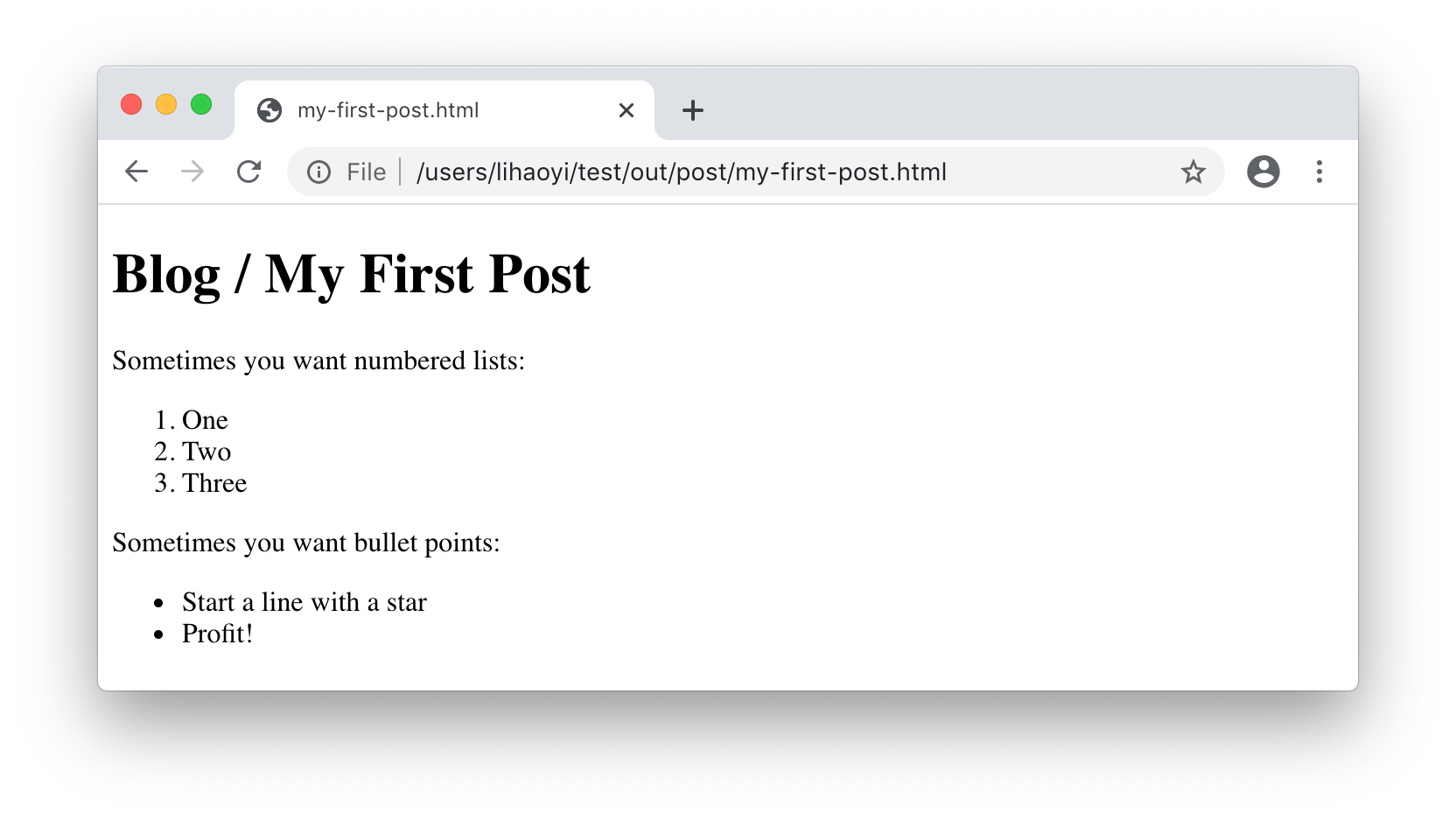
$ cat _blog/post/my-first-post.html
<!DOCTYPE html><html><body>
<h1>Blog / My First Post</h1>
<p>Sometimes you want numbered lists:</p>
<ol>
<li>One</li>
<li>Two</li>
<li>Three</li>
</ol>
<p>Sometimes you want bullet points:</p>
<ul>
<li>Start a line with a star</li>
<li>Profit!</li>
</ul>
</body></html>
9.18.xml
Or open them in the browser:
9.4 Links and Bootstrap
9.4.1 Page Links
To turn our folder of generated HTML files into a proper static site, we need to
add links between the pages. At the very least, we need links from the
index.html page to each individual blog post, and a link from each post back
to the index.html page. This is a matter of adding an <a href> tag inside
the h2 header tags in index.html, with the href being the relative path to
the HTML file of each individual blog post:
Blog.scala9.19.scalahtml(body(h1("Blog"),for(_,suffix,_)<-postInfo-yieldh2(suffix)+yieldh2(a(href:=("post/"+mdNameToHtml(suffix)),suffix))))
:= is a custom operator provided by the Scalatags, and is used to specify HTML
attributes and styles. We need to perform a similar change on each individual
post's HTML page:
Blog.scala9.20.scalahtml(body(-h1("Blog"," / ",suffix),+h1(a(href:="../index.html")("Blog")," / ",suffix),raw(output)))
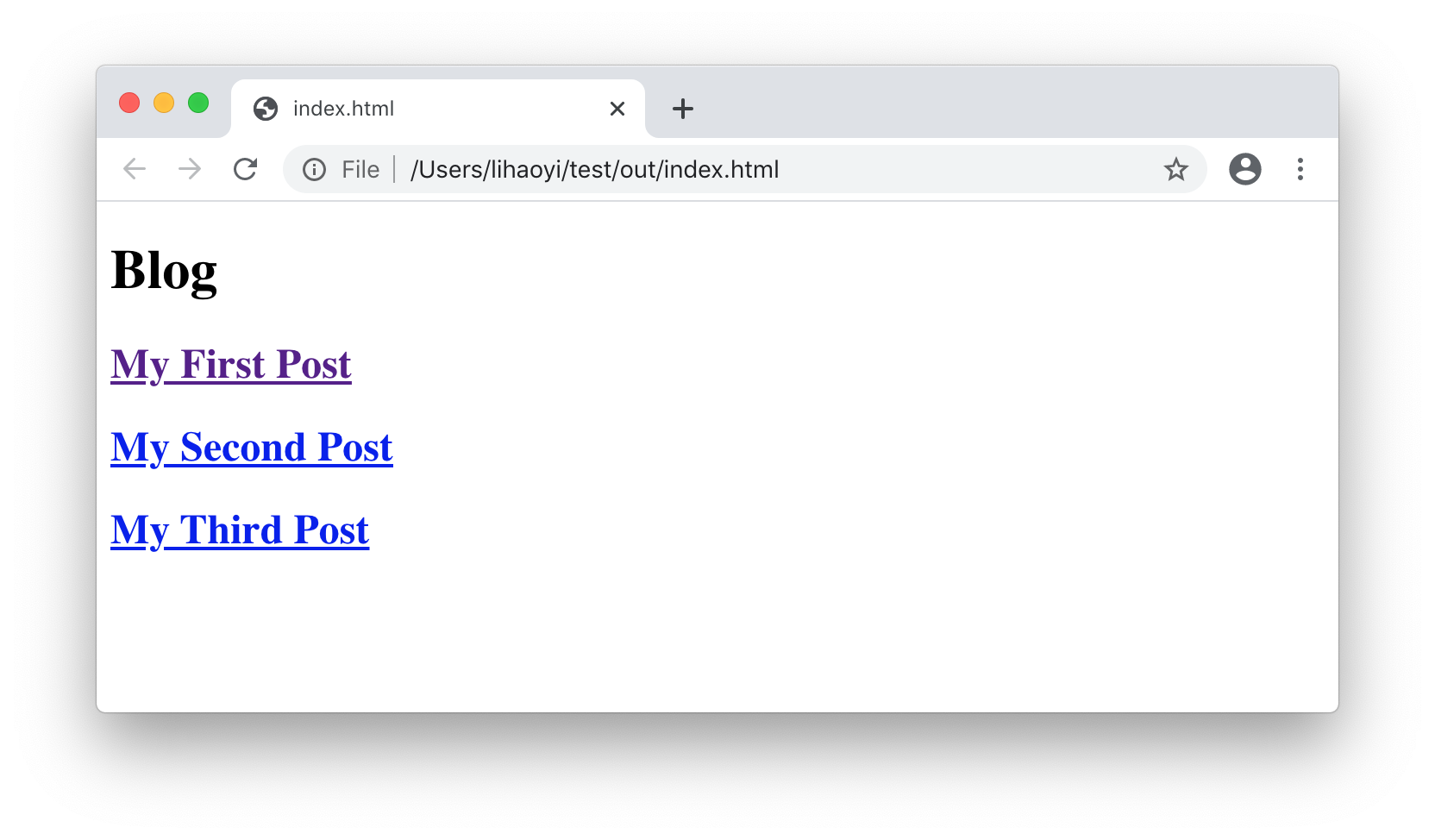
After re-generating the HTML files using ./mill Blog.scala, we can see that the post
listing in index.html links to the respective post's HTML files:
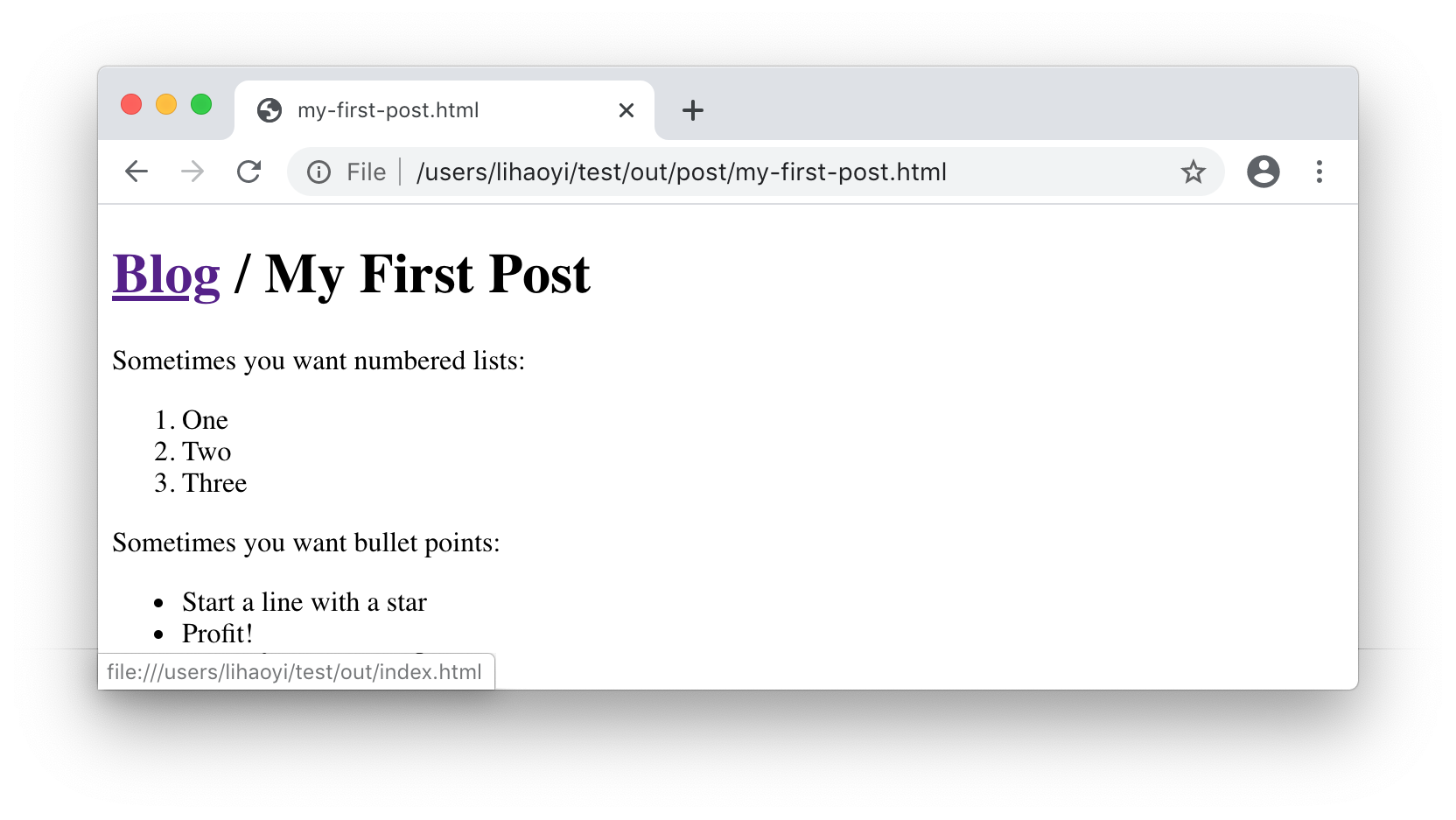
And each individual post has the Blog header at the top left link back to the
index.html page:
9.4.2 Bootstrap
To make our static site look a bit more presentable, we can layer on some Bootstrap CSS over our ugly unstyled page, in order to pretty it up. The Bootstrap getting started page provides the following HTML fragment:
<link
    rel="stylesheet"
    href="https://stackpath.bootstrapcdn.com/bootstrap/4.4.1/css/bootstrap.css"
>
9.21.html
Which translates into the following Scalatags fragments that we need to include
in our head tag:
Blog.scala9.22.scala+valbootstrapCss=link(+rel:="stylesheet",+href:="https://stackpath.bootstrapcdn.com/bootstrap/4.5.0/css/bootstrap.css"+)
Blog.scala9.23.scalaos.write(os.pwd/"_blog/post"/mdNameToHtml(suffix),doctype("html")(html(+head(bootstrapCss),body(h1(a("Blog")(href:="../index.html")," / ",suffix),
Blog.scala9.24.scalaos.write(os.pwd/"_blog/index.html",doctype("html")(html(+head(bootstrapCss),body(h1("Blog"),
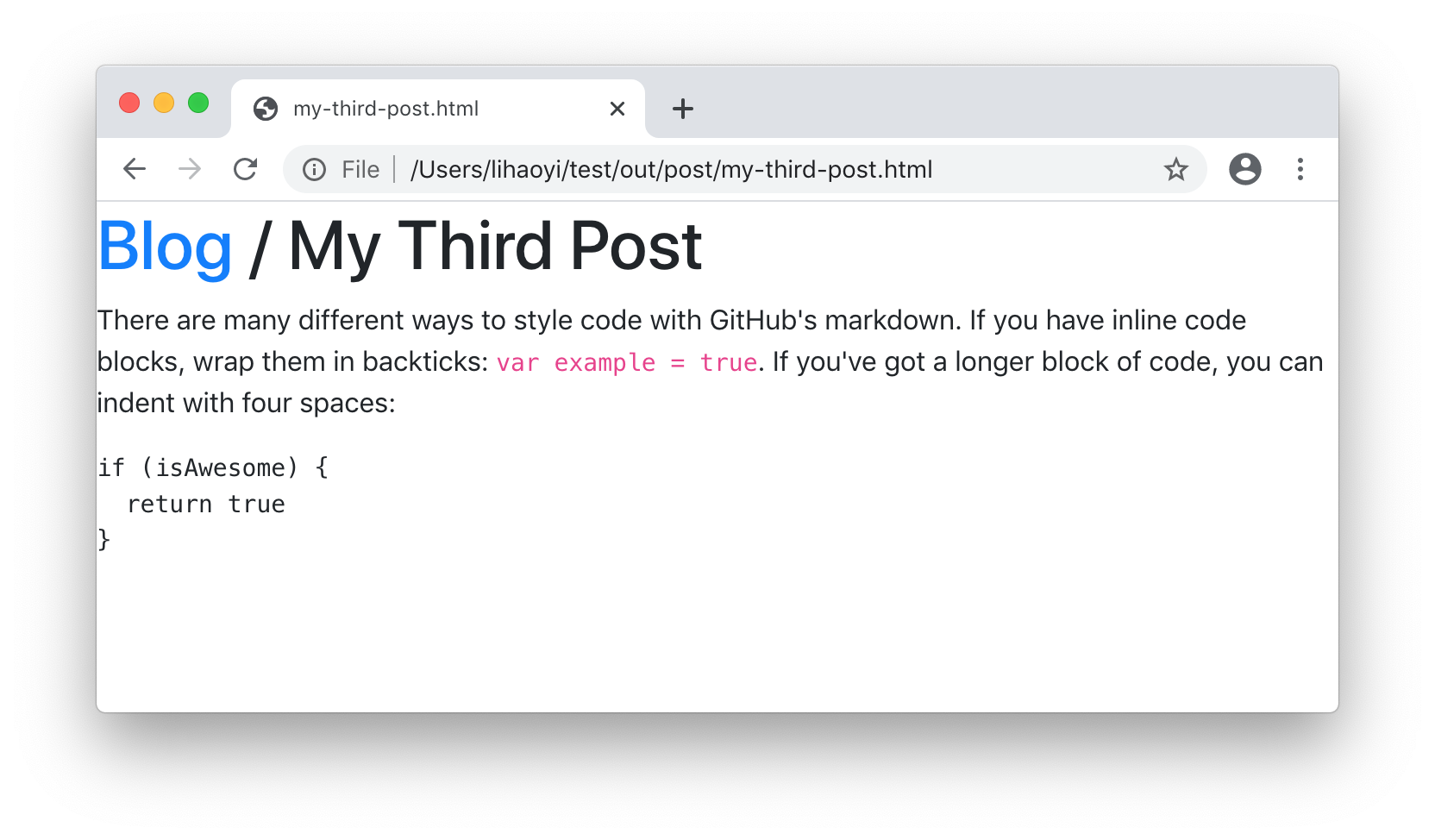
Here, we're including the link as described in the Bootstrap docs, converted
it to Scalatags template syntax. We can see it take effect in the browser:
You can paste this into a Blog.scala file, put markdown files with the naming
convention 1 - Hello.md 2 - Post.md in the post/ folder, and run
./mill Blog.scala to generate the HTML pages. Once generated, those pages can go
anywhere: viewed locally, pushed to github pages, or deployed elsewhere. The
website we are generating is static and can be deployed on any static content
host.
The first time you run the script, it will take 2-3 seconds to compile. After that first compile, executing the script should take about a second. You can edit the markdown files and the HTML pages will be re-generated quickly.
9.5 Optionally Deploying the Static Site
The main method entrypoint in Scala Scripts can have parameters,
which will be parsed from the command line arguments when executed with Mill, with help text
generated automatically (parsing is handled by the
MainArgs library).
We can adapt the existing main method in the Blog.scala script to allow the user to
specify a remote Git repository from the command line, and use os.call operations to push the
static site to that repository.
This can be done as follows:
Blog.scala9.25.scala//| mvnDeps://| - com.lihaoyi::scalatags:0.13.1//| - org.commonmark:commonmark:0.26.0importscalatagsText..all.*-defmain()=+defmain(targetGitRepo:String="")=...++iftargetGitRepo!=""then+os.call(cmd=("git","init"),cwd=os.pwd/"_blog")+os.call(cmd=("git","add","-A"),cwd=os.pwd/"_blog")+os.call(cmd=("git","commit","-am","."),cwd=os.pwd/"_blog")+os.call(cmd=("git","push",targetGitRepo,"head","-f"),cwd=os.pwd/"_blog")
Parameter types can be simple primitives (Strings, Ints,
Booleans, etc.) and parameters can have default values to make them optional.
In this case, the default value targetGitRepo = "" simply skips the deployment
step if the user does not pass in that argument from the command line.
Blog.scala can now be called as follows:
$ ./mill Blog.scala # Generate the static site, do not deploy it

$ ./mill Blog.scala --target-git-repo git@github.com:lihaoyi/test.git

$ ./mill Blog.scala --help
main
  --target-git-repo <str>
9.26.bash
This code is suitable for deployment to a Github Pages site, where the static site content is hosted in a Git repository. If you want to deploy elsewhere, it should be straightforward to adapt to whatever deployment logic you need
The final static site now looks like this:
Blog.scala9.27.scala//| mvnDeps://| - com.lihaoyi::scalatags:0.13.1//| - org.commonmark:commonmark:0.26.0importscalatagsText..all.*defmain(targetGitRepo:String="")=valpostInfo=os.list(os.pwd/"post").map:p=>vals"$prefix-$suffix.md"=p.last(prefix,suffix,p).sortBy(_(0).toInt)defmdNameToHtml(name:String)=name.replace(" ","-").toLowerCase+".html"valbootstrapCss=link(rel:="stylesheet",href:="https://stackpath.bootstrapcdn.com/bootstrap/4.5.0/css/bootstrap.css")os.remove.all(os.pwd/"_blog")os.makeDir.all(os.pwd/"_blog/post")for(_,suffix,path)<-postInfodovalparser=org.commonmark.parser.Parser.builder().build()valdocument=parser.parse(os.read(path))valrenderer=org.commonmark.renderer.html.HtmlRenderer.builder().build()valoutput=renderer.render(document)os.write(os.pwd/"_blog/post"/mdNameToHtml(suffix),doctype("html")(html(head(bootstrapCss),body(h1(a(href:="../index.html")("Blog")," / ",suffix),raw(output)))))os.write(os.pwd/"_blog/index.html",doctype("html")(html(head(bootstrapCss),body(h1("Blog"),for(_,suffix,_)<-postInfoyieldh2(a(href:=("post/"+mdNameToHtml(suffix)),suffix))))))iftargetGitRepo!=""thenos.call(cmd=("git","init"),cwd=os.pwd/"_blog")os.call(cmd=("git","add","-A"),cwd=os.pwd/"_blog")os.call(cmd=("git","commit","-am","."),cwd=os.pwd/"_blog")os.call(cmd=("git","push",targetGitRepo,"head","-f"),cwd=os.pwd/"_blog")
9.6 Conclusion
In this chapter, we've written a Scala Script that implements a small static blog generator. It takes Markdown files in a folder and renders them into a HTML website we can host online. We used the filesystem APIs we learned about in Chapter 7: Files and Subprocesses, along with the third-party Scala library Scalatags to render HTML and the third-party Java library Commonmark to parse and render the markdown. The end result was a single self-contained script that can download its own dependencies and run in any environment without prior setup. Scala scripts are a great way to "try out" third party libraries, testing them out without the complexity of a larger project or build system.
Next, in Chapter 10: Static Build Pipelines, we will re-visit this static site generator in order to make it incremental. This will allow us to re-use previously rendered HTML files, speeding up re-generation of the static site even as the number of posts and pages grows. We will re-visit the Scalatags HTML library in Chapter 14: Simple Web and API Servers, and use it to render the HTML of our interactive chat website.
Exercise: Use the filesystem last-modified timestamp for each blog post's .md file and
use it to automatically provide a "Written On YYYY-MM-DD" annotation at the
bottom of each blog post, as well as under each post's preview on the index
page