14
Simple Web and API Servers
| 14.1 A Minimal Webserver | 263 |
| 14.2 Serving HTML | 266 |
| 14.3 Forms and Dynamic Data | 268 |
| 14.4 Dynamic Page Updates via API Requests | 276 |
| 14.5 Real-time Updates with Websockets | 280 |
package app
object MinimalApplication extends cask.MainRoutes:
@cask.get("/")
def hello() =
"Hello World!"
@cask.post("/do-thing")
def doThing(request: cask.Request) =
request.text().reverse
initialize()
Snippet 14.1: a minimal Scala web application, using the Cask web framework
Web and API servers are the backbone of internet systems. While in the last few chapters we learned to access these systems from a client's perspective, this chapter will teach you how to provide such APIs and Websites from the server's perspective. We will walk through a complete example of building a simple real-time chat website serving both HTML web pages and JSON API endpoints. We will re-visit this website in Chapter 15: Querying SQL Databases, where we will convert its simple in-memory datastore into a proper SQL database.
In this chapter, we will work towards setting up a simple chat website. This will allow users to post chat messages for other users to see. For simplicity, we will ignore concerns such as authentication, performance, user management, and database persistence. Nevertheless, this chapter should be enough for you to get started building web and API servers in Scala, and provide a foundation you can build upon to create servers fit to deploy to a production environment.
We are going to use the Cask web framework. Cask is a Scala HTTP micro-framework that lets you get a simple website up and running quickly.
14.1 A Minimal Webserver
To begin working with Cask, download and unzip the example application:
$ BASEURL=https://repo1.maven.org/maven2/com/lihaoyi/cask-examples/0.11.3

$ mkdir minimalApplication-0.11.3 && cd minimalApplication-0.11.3

$ curl -L $BASEURL/cask-examples-0.11.3-minimalApplication.zip -o cask.zip

$ unzip cask.zip && rm cask.zip
14.2.bash
14.1.1 Application Code
We can run find to see what we have available:
$ find . -type f
./build.mill
./app/test/src/ExampleTests.scala
./app/src/MinimalApplication.scala
./mill
./.mill-version
14.3.bash
Most of what we're interested in lives in app/src/MinimalApplication.scala:
app/src/MinimalApplication.scala14.4.scalapackageappobjectMinimalApplicationextendscask.MainRoutes:@cask.get("/")defhello()="Hello World!"@cask.post("/do-thing")defdoThing(request:cask.Request)=request.text().reverse initialize()
Cask works by specifying the endpoints of your web server via the @cask
annotations in a cask.MainRoutes object: @cask.get, @cask.post, and so on.
The Cask documentation linked at the end of this chapter goes through the full
range of different annotations. Each annotation specifies a URL route which the
annotated endpoint function will handle.
Inheriting from cask.MainRoutes defines the standard JVM main method that
launches the webserver and serves as the entry point of your program. You can
override def main if you want to customize the startup and initialization
logic.
Above we see that requests to the root URL / is handled by the hello()
endpoint, while requests to the /do-thing URL are handled by the
doThing() endpoint. All endpoints can optionally take a request: cask.Request argument representing the entire incoming HTTP request. Additional
parameters can represent wildcard URL segments or values deserialized from the
request in a decorator-specific fashion (e.g. @cask.get parameters come from
URL query params, @cask.post parameters from a form encoded request body).
14.1.2 Webserver Build Configuration
The Cask application is built using Mill, configured via a build.mill file:
build.mill14.5.scalapackagebuildimportmill_.,scalalib._objectappextendsScalaModule:defscalaVersion="3.8.2"defmvnDeps=Seq(mvn"com.lihaoyi::cask:0.11.3",)objecttestextendsScalaTestswithTestModule.Utest:defmvnDeps=Seq(mvn"com.lihaoyi::utest::0.9.1",mvn"com.lihaoyi::requests::0.9.0",)
14.1.3 Running and Testing our Webserver
We can run this program with the Mill build tool, using the ./mill executable:
$ ./mill -w app.runBackground
.runBackground is similar to .run, except it allows you to do other things
at the terminal, or use -w/--watch to watch for changes and reload the
program running in the background. This background process keeps running
indefinitely, until you use use ./mill clean app.runBackground to shut it
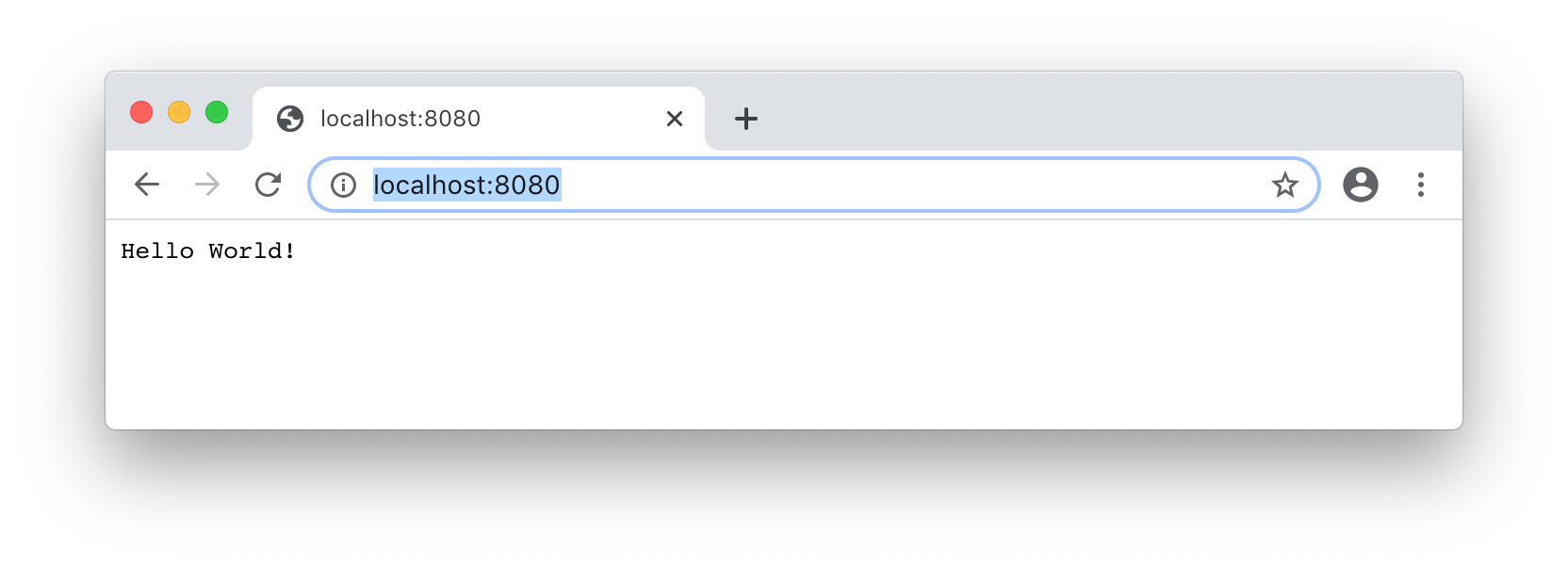
down. We can then navigate to the server in the browser, by default at
localhost:8080:
There is also a POST endpoint at /do-thing we can try out by running
curl in another terminal window, or by running the automated tests in
app/test/src/ExampleTests.scala using Mill:
$ curl -X POST --data hello http://localhost:8080/do-thing
olleh

$ ./mill app.test
[116/123] app.test.compile
[116] [info] Compiling 1 Scala source to...
[116] [info] Done compiling.
[123/123] app.test.testForked
-------------------------------- Running Tests --------------------------------
[123] + app.ExampleTests.MinimalApplication 323ms
[123] Tests: 1, Passed: 1, Failed: 0
14.6.bash
Now let's get the webserver watching for changes again and get started with our chat website!
$ ./mill -w app.runBackground
14.2 Serving HTML
The first thing to do is to convert our plain-text "Hello World!" website into
a HTML web page. The easiest way to do this is via the
Scalatags HTML generation library, the
same one we used in Chapter 9: Self-Contained Scala Scripts. To use Scalatags
in this project, add it as a dependency to your build.mill file:
build.mill14.7.scaladefmvnDeps=Seq(+mvn"com.lihaoyi::scalatags:0.13.1",mvn"com.lihaoyi::cask:0.11.3")
If using Intellij, open the "BSP" tab and click the "Refresh" button
to pick up the changes in your dependencies, followed
by ./mill -w app.runBackground to get the webserver listening for changes again. We can
then import Scalatags into our MinimalApplication.scala file:
app/src/MinimalApplication.scala14.8.scalapackageapp+importscalatagsText..all.*objectMinimalApplicationextendscask.MainRoutes:
And replace the "Hello World!" string with a minimal Scalatags HTML template
using the same Bootstrap CSS we used in Chapter 9: Self-Contained Scala Scripts:
app/src/MinimalApplication.scala14.9.scala+valbootstrap="https://stackpath.bootstrapcdn.com/bootstrap/4.5.0/css/bootstrap.css"@cask.get("/")-defhello()=-"Hello World!"+defhello()=doctype("html")(+html(+head(link(rel:="stylesheet",href:=bootstrap)),+body(+div(cls:="container")(+h1("Hello!"),+p("World")+)+)+)+)
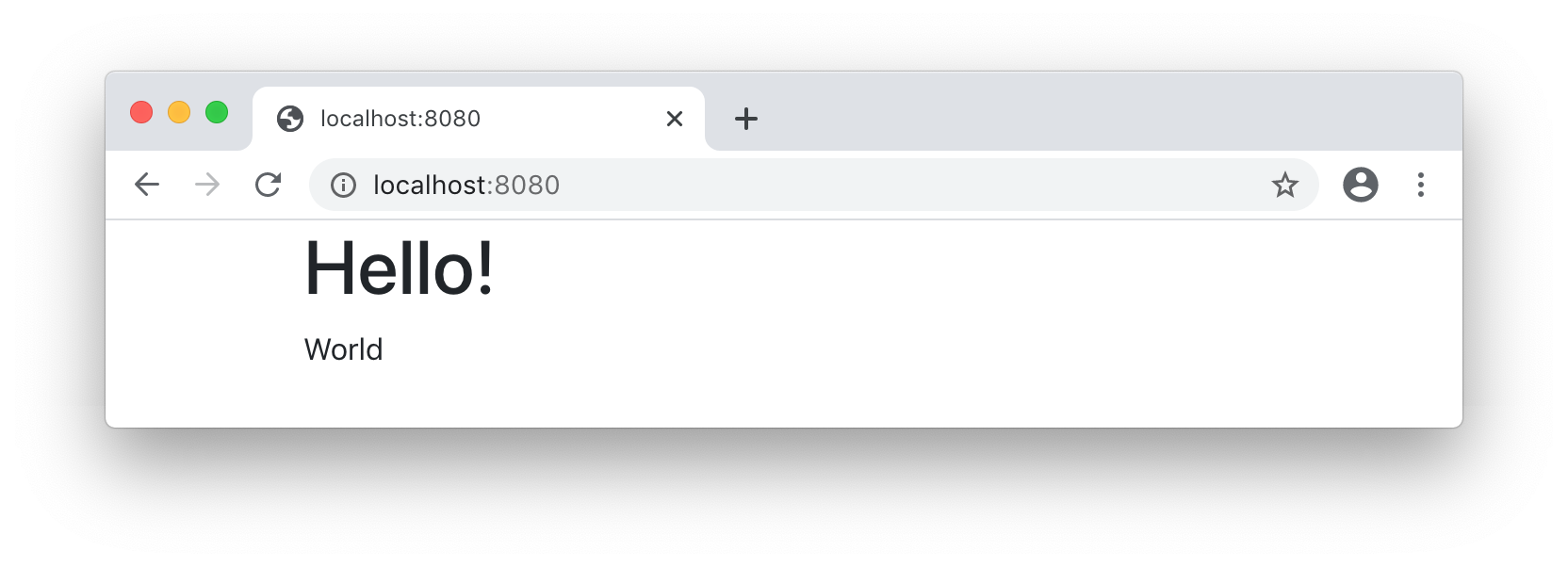
We should see the ./mill -w app.runBackground command re-compile our code and
restart the server. We can then refresh the page to see our plain text response
has been replaced by a basic HTML page:
14.2.1 A Mock Chat Website
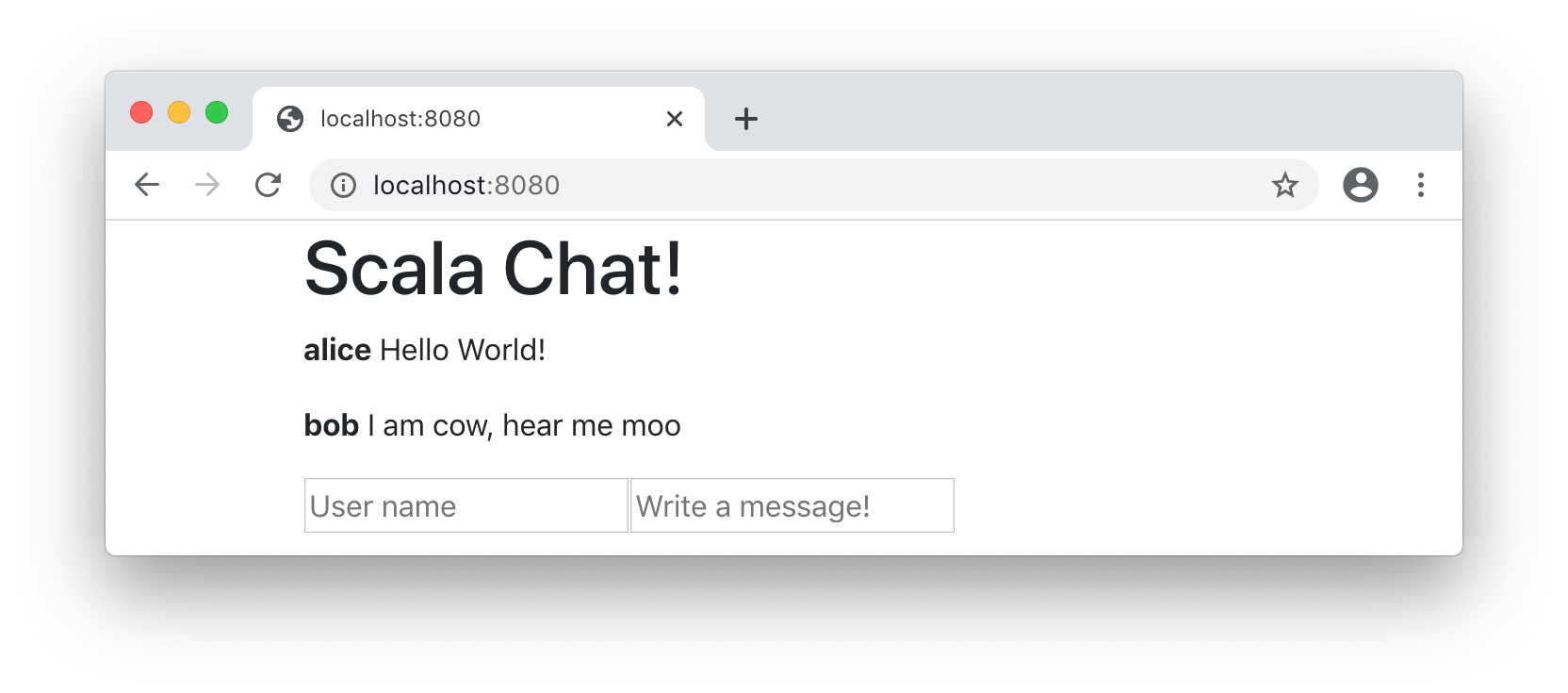
To finish off this section, let's flesh out our Scalatags HTML template to look like a mock chat application: with hardcoded chats and dummy input boxes.
app/src/MinimalApplication.scala14.10.scaladiv(cls:="container")(-h1("Hello!"),-p("World")+h1("Scala Chat!"),+div(+p(b("alice")," ","Hello World!"),+p(b("bob")," ","I am cow, hear me moo")+),+div(+input(`type`:="text",placeholder:="User name"),+input(`type`:="text",placeholder:="Write a message!")+))
We now have a simple static website, serving HTML pages, using the Cask web framework and the Scalatags HTML library.
The full code, along with a simple
test suite, can be found in the online example linked below. This test suite
uses the requests package we learned about in Chapter 12: Working with HTTP APIs to interact with the webserver and assert on its behavior. The
examples of this chapter will also provide a test suite in the online sample
code, for you to browse if interested.
Next, let's look at making this website actually work interactively!
14.3 Forms and Dynamic Data
Our first attempt at making this website interactive will be to use HTML forms. With HTML forms, the first browser request loads the initial HTML page, and every interaction does a POST back to the server that reloads the entire page:
14.3.1 Dynamic Page Rendering
First we need to remove the hardcoded list of messages and instead render the HTML page based on data:
app/src/MinimalApplication.scala14.11.scalaobjectMinimalApplicationextendscask.MainRoutes:+varmessages=Vector(("alice","Hello World!"),("bob","I am cow, hear me moo"))valbootstrap="https://stackpath.bootstrapcdn.com/bootstrap/4.5.0/css/bootstrap.css"@cask.get("/")
app/src/MinimalApplication.scala14.12.scaladiv(-p(b("alice")," ","Hello World!"),-p(b("bob")," ","I am cow, hear me moo"),+for(name,msg)<-messagesyieldp(b(name)," ",msg)),
For now, we will use a Vector[(String, String)] as our simple in-memory
messages store. Storing our messages in a proper database is something we will
cover later in Chapter 15: Querying SQL Databases.
14.3.2 Form Handling
To make the two inputs at the bottom of the page interactive, we need to wrap
them in a form:
app/src/MinimalApplication.scala14.13.scala-div(-input(`type`:="text",placeholder:="User name"),-input(`type`:="text",placeholder:="Write a message!")+form(action:="/",method:="post")(+input(`type`:="text",name:="name",placeholder:="User name"),+input(`type`:="text",name:="msg",placeholder:="Write a message!"),+input(`type`:="submit"))
This gives us an interactive form that looks similar to the mock we had earlier.
However, submitting the form gives us an Error 405: Method Not Allowed page: this is
expected because we still haven't wired up the server to handle the form
submission and receive the new chat message. We can do so as follows:
app/src/MinimalApplication.scala14.14.scala-@cask.post("/do-thing")-defdoThing(request:cask.Request)=-request.text().reverse+@cask.postForm("/")+defpostChatMsg(name:String,msg:String)=+messages=messages:+(name->msg)+hello()
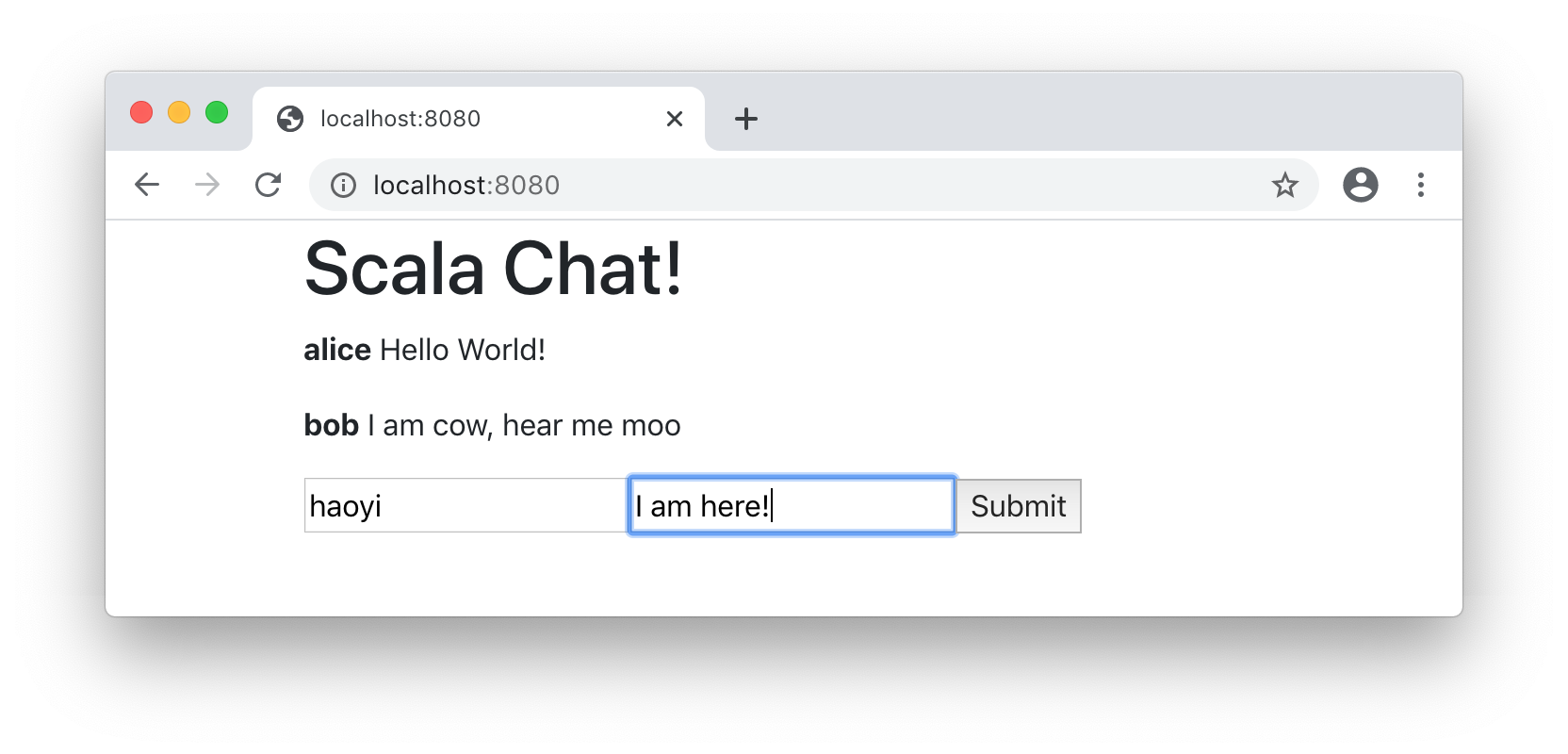
This @cask.postForm definition adds another endpoint for the root / URL,
except this one handles POST requests instead of GET requests. Now we can enter
a user name and message, and post a message:
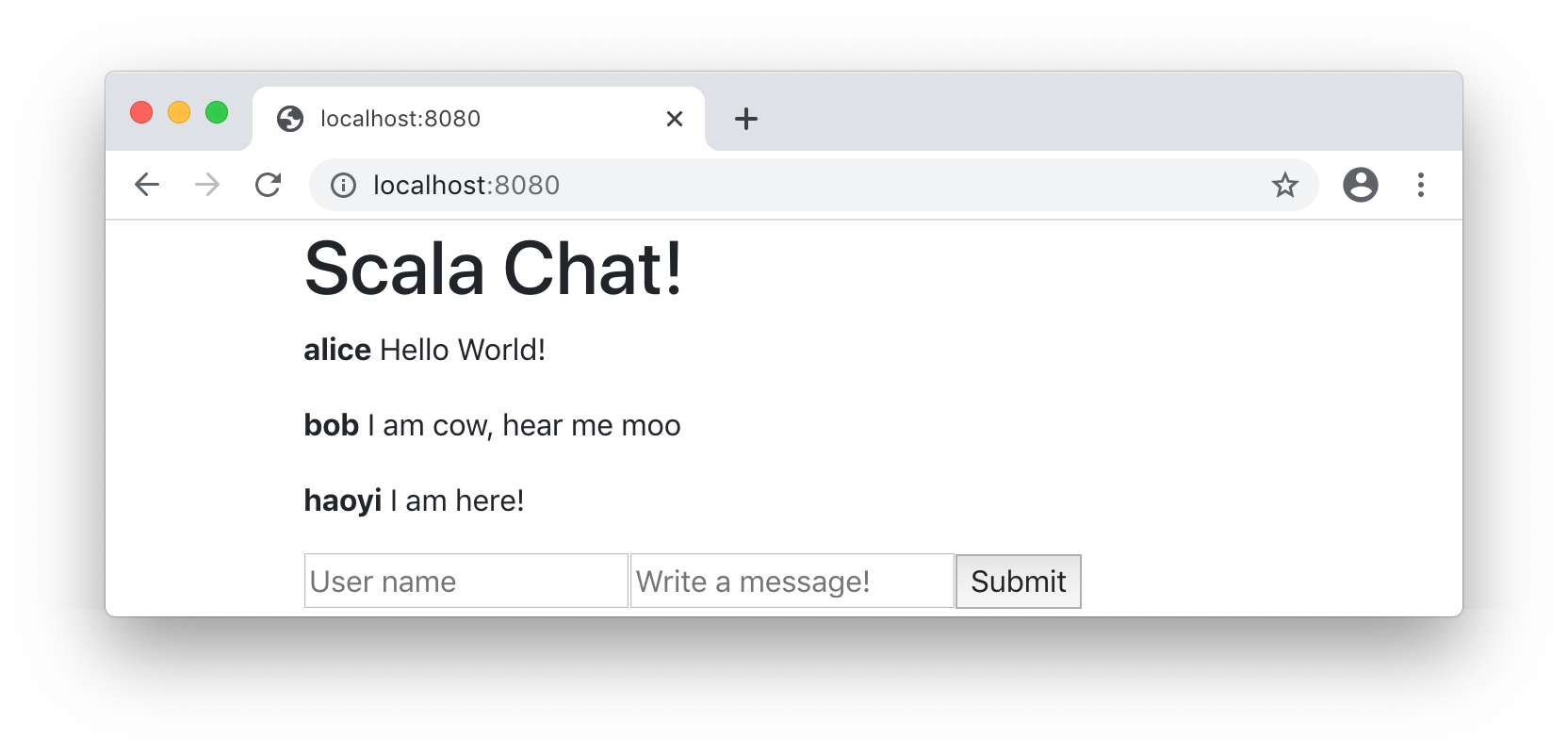
14.3.3 Validation
So far, we have allowed users to post arbitrary comments with arbitrary names. However, not all comments and names are valid: at the bare minimum we want to ensure the comment and name fields are not empty. We can do this via:
app/src/MinimalApplication.scala14.15.scaladefpostChatMsg(name:String,msg:String)=-messages=messages:+(name->msg)+ifname!=""&&msg!=""thenmessages=messages:+(name->msg)hello()
This blocks users from entering invalid names and msgs, but has another
issue: a user with an invalid name or message will submit it, have it disappear,
and have no feedback what went wrong. We can solve this by rendering an optional
error message in the hello() page:
app/src/MinimalApplication.scala14.16.scaladefpostChatMsg(name:String,msg:String)=-ifname!=""&&msg!=""thenmessages=messages:+(name->msg)-hello()+ifname==""then+hello(Some("Name cannot be empty"))+elseifmsg==""then+hello(Some("Message cannot be empty"))+else+messages=messages:+(name->msg)+hello()
app/src/MinimalApplication.scala14.17.scala@cask.get("/")-defhello()=doctype("html")(+defhello(errorOpt:Option[String]=None)=doctype("html")(html(
app/src/MinimalApplication.scala14.18.scaladiv(for(name,msg)<-messagesyieldp(b(name)," ",msg)),+forerror<-errorOptyieldi(color.red)(error),form(action:="/",method:="post")(
Now, an error message shows up when the name or message are invalid, which goes away on the next successful action:
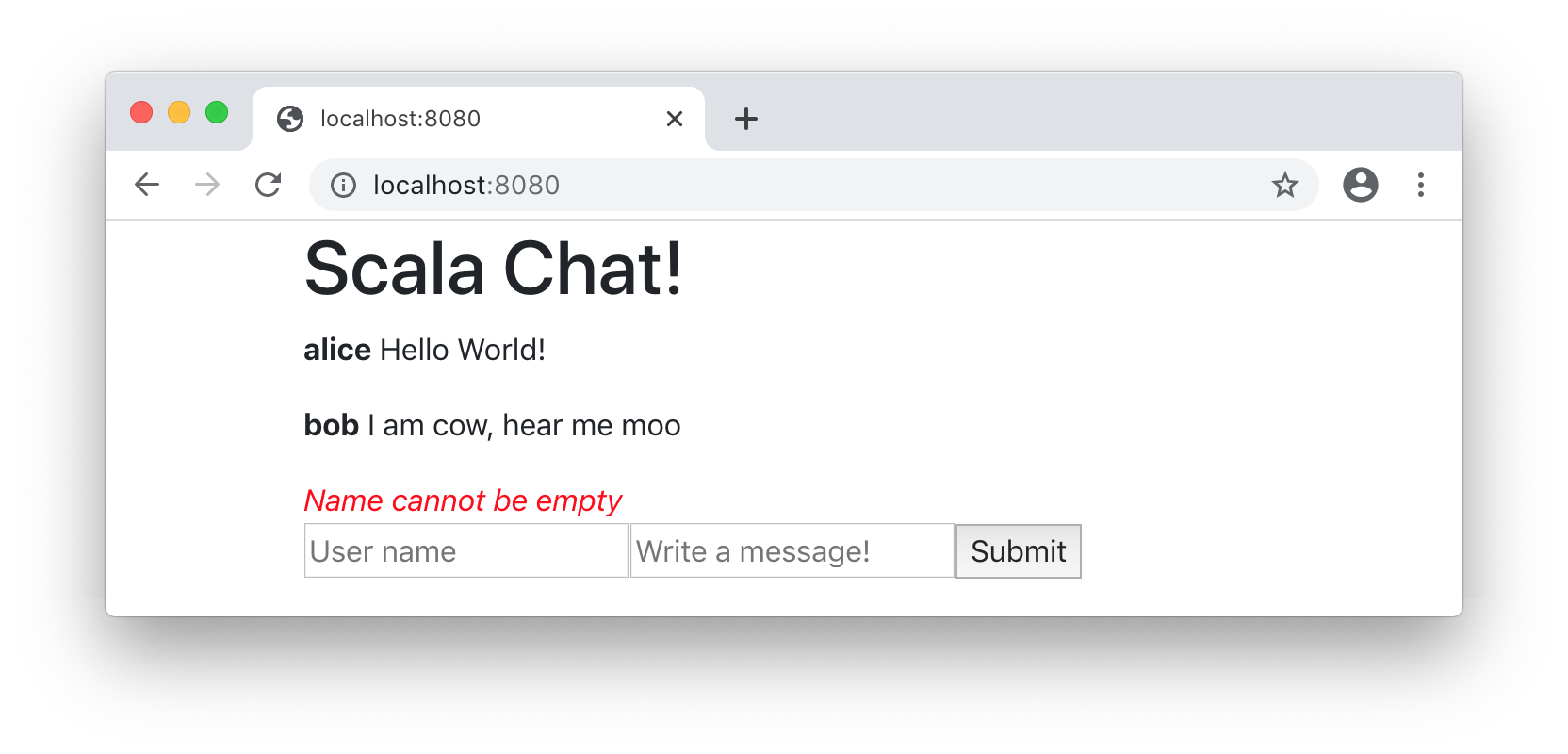
14.3.4 Remembering Names and Messages
One annoyance so far is that every time you post a message to the chat room, you
need to re-enter your user name. Also, if your user name or message are invalid,
it gets deleted and you have to type it out all over again to re-submit it. We
can fix that by letting the hello page endpoint optionally fill in these fields
for you:
app/src/MinimalApplication.scala14.19.scala@cask.get("/")-defhello(errorOpt:Option[String]=None)=doctype("html")(+defhello(errorOpt:Option[String]=None,+userName:Option[String]=None,+msg:Option[String]=None)=doctype("html")(html(
app/src/MinimalApplication.scala14.20.scalaform(action:="/",method:="post")(-input(`type`:="text",name:="name",placeholder:="User name"),-input(`type`:="text",name:="msg",placeholder:="Write a message!"),+input(+`type`:="text",+name:="name",+placeholder:="User name",+userName.map(value:=_)+),+input(+`type`:="text",+name:="msg",+placeholder:="Write a message!",+msg.map(value:=_)+),input(`type`:="submit")
We add optional userName and msg query parameters to the root web page
endpoint, and if they are present we include them as the default value of the
HTML input tags. We also need to fill in the userName and msg in the
postChatMsg endpoint when rendering the page back to the user:
app/src/MinimalApplication.scala14.21.scaladefpostChatMsg(name:String,msg:String)=ifname==""then-hello(Some("Name cannot be empty"))+hello(Some("Name cannot be empty"),Some(name),Some(msg))elseifmsg==""then-hello(Some("Message cannot be empty"))+hello(Some("Message cannot be empty"),Some(name),Some(msg))elsemessages=messages:+(name->msg)-hello()+hello(None,Some(name),None)
Now, whenever we submit a form to the def postChatMsg endpoint, it always
renders the HTML page with your name already filled in. Furthermore, if there
was an error, we also render the HTML page with the message already filled in:
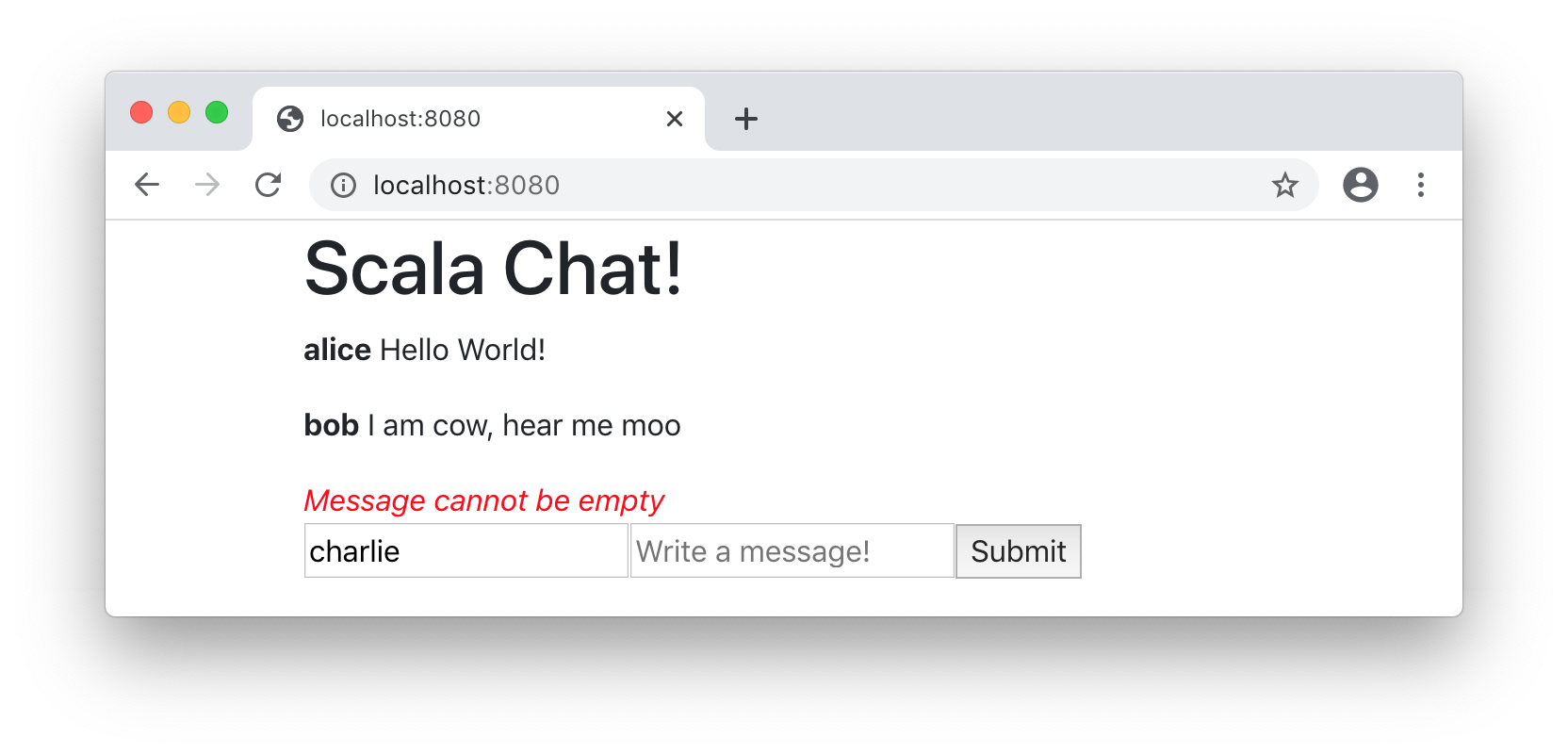
We only expect the user to need to edit or re-submit the message if there was a failure, whereas if the message was successfully posted we do not expect them to want to post it again.
The complete code for MinimalApplication.scala is now as follows:
app/src/MinimalApplication.scala14.22.scalapackageappimportscalatagsText..all.*objectMinimalApplicationextendscask.MainRoutes:varmessages=Vector(("alice","Hello World!"),("bob","I am cow, hear me moo"))valbootstrap="https://stackpath.bootstrapcdn.com/bootstrap/4.5.0/css/bootstrap.css"@cask.get("/")defhello(errorOpt:Option[String]=None,userName:Option[String]=None,msg:Option[String]=None)=doctype("html")(html(head(link(rel:="stylesheet",href:=bootstrap)),body(div(cls:="container")(h1("Scala Chat!"),div(for(name,msg)<-messagesyieldp(b(name)," ",msg)),forerror<-errorOptyieldi(color.red)(error),form(action:="/",method:="post")(input(`type`:="text",name:="name",placeholder:="User name",userName.map(value:=_)),input(`type`:="text",name:="msg",placeholder:="Write a message!",msg.map(value:=_)),input(`type`:="submit"))))))@cask.postForm("/")defpostChatMsg(name:String,msg:String)=ifname==""thenhello(Some("Name cannot be empty"),Some(name),Some(msg))elseifmsg==""thenhello(Some("Message cannot be empty"),Some(name),Some(msg))elsemessages=messages:+(name->msg)hello(None,Some(name),None)initialize()
14.4 Dynamic Page Updates via API Requests
We now have a simple form-based chat website, where users can post messages and other users who load the page can see the messages that were posted. The next step is to make the page updates dynamic, so users can post messages and see updates without needing to refresh the page.
To do this, we need to do two things:
-
Allow the HTTP server to serve partial web pages, e.g. receiving messages and rendering the message list without rendering the entire page
-
Add a small amount of JavaScript to submit the form data manually.
Note that although the first HTTP GET request fetches the entire HTML page,
subsequent requests are done via the browser's fetch API and return JSON. This
allows it to perform the HTTP POST without needing to refresh the page, and to
process the returned data in Javascript to update the page in the browser.
14.4.1 Rendering Partial Pages
To render just the part of the page that needs to be updated, we refactor our
code to extract a messageList helper function from the main hello page
endpoint:
app/src/MinimalApplication.scala14.23.scala)+defmessageList()=frag(for(name,msg)<-messagesyieldp(b(name)," ",msg))@cask.postForm("/")
app/src/MinimalApplication.scala14.24.scala-div(for(name,msg)<-messagesyieldp(b(name)," ",msg))+div(id:="messageList")(messageList()),
Next, we will modify the postChatMsg endpoint so that instead of re-rendering
the entire page, it only re-renders the messageList that might have changed.
Note how we replace the old @cask.postForm endpoint with a @cask.postJson.
Instead of calling hello() to re-render the entire page, we instead return a
small JSON structure ujson.Obj that the browser JavaScript code can then use
to update the HTML page. The ujson.Obj data type is provided by the same
uJson library we saw in Chapter 8: JSON and Binary Data Serialization.
app/src/MinimalApplication.scala14.25.scala-@cask.postForm("/")+@cask.postJson("/")defpostChatMsg(name:String,msg:String)=ifname==""then-hello(Some("Name cannot be empty"),Some(name),Some(msg))+ujson.Obj("success"->false,"err"->"Name cannot be empty")elseifmsg==""then-hello(Some("Message cannot be empty"),Some(name),Some(msg))+ujson.Obj("success"->false,"err"->"Message cannot be empty")elsemessages=messages:+(name->msg)-hello(None,Some(name),None)+ujson.Obj("success"->true,"txt"->messageList().render,"err"->"")
Since we will be relying on JavaScript to populate and clear the input fields,
we no longer need to populate them by setting their msg and userName values
on the server. We can also remove them from our def hello endpoint:
app/src/MinimalApplication.scala14.26.scala@cask.get("/")-defhello(errorOpt:Option[String]=None,-userName:Option[String]=None,-msg:Option[String]=None)=doctype("html")(+defhello()=doctype("html")(
Now that we have the server side of things settled, let's wire up the relevant client-side code to send JSON requests to the server, receive the JSON response, and use it to update the HTML interface. To handle this client-side logic, we are going to give IDs to some of our key HTML elements so we can reference them in the JavaScript:
app/src/MinimalApplication.scala14.27.scala-forerror<-errorOptyieldi(color.red)(error),+div(id:="errorDiv",color.red),form(action:="/",method:="post")(-input(-`type`:="text",-name:="name",-placeholder:="User name",-userName.map(value:=_)-),-input(-`type`:="text",-name:="msg",-placeholder:="Write a message!",-msg.map(value:=_)-),+input(`type`:="text",id:="nameInput",placeholder:="User name"),+input(`type`:="text",id:="msgInput",+placeholder:="Write a message!"),input(`type`:="submit"))
14.4.2 Page Updates with JavaScript
Next, we need to include some Javascript. This JavaScript snippet defines a
function that lets us post the current form contents to the server using the
browser's fetch API. We receive the JSON response, on success we use it to
re-render the messageList, on failure we update the errorDiv:
app/resources/static/app.js14.28.jsfunctionsubmitForm(){fetch("/",{method:"POST",body:JSON.stringify({name:nameInput.value,msg:msgInput.value})}).then(response=>response.json()).then(json=>{if(json["success"]){messageList.innerHTML=json["txt"]msgInput.value=""}errorDiv.innerText=json["err"]})}
val bootstrap = "https://stackpath.bootstrapcdn.com/bootstrap/4.5.0/css/bootstrap.css"
+ @cask.staticResources("/static")
+ def staticResourceRoutes() = "static"
@cask.get("/")
def hello() = doctype("html")(
For now we are writing Javascript in a static/app.js file in the resources/
folder of our app module. resources/ contains files that are zipped into the
executable assembly at compile time. These can then be served using a
@cask.staticResources endpoint: the annotation's parameter specifies the HTTP
route that serves these static files, and the return value specifies the path in
the resources/ folder that the files will be served from.
To wire up this JavaScript function with our form, we need to include it in the
page using a script tag, and then replace the form's action attribute with
an onsubmit attribute to call the function defined above:
app/src/MinimalApplication.scala14.30.scalahead(link(rel:="stylesheet",href:=bootstrap),+script(src:="/static/app.js")),
app/src/MinimalApplication.scala14.31.scala-form(action:="/",method:="post")(+form(onsubmit:="submitForm(); return false")(
With this, you can now add comments to the chat website, have them become immediately visible on your page, and then anyone loading the page after will see them as well.
Note that although the messages you leave are immediately visible to you, they
are not visible to other people on the chat website unless they either refresh
the page or leave their own comment to force their messageList to be reloaded.
Making your messages immediately visible to other viewers without refreshing the
page will be the last section of this chapter.
14.5 Real-time Updates with Websockets
The concept of push updates is simple: every time a new message is submitted, we "push" it to every browser that is listening, rather than waiting for the browser to refresh and "pull" the updated data. There are many techniques we can use to accomplish this goal. For this chapter, we will be using one called Websockets.
Websockets allow the browser and the server to send messages to each other, outside the normal request-response flow of a HTTP request. Once a connection is established, either side can send messages any time, each of which contains an arbitrary payload string or bytes.
The workflow we will implement is as follows:
-
When the website loads, the browser will make a websocket connection to the server.
-
Once the connection is established, the server will respond with an initial
txtcontaining the rendered messages, as HTML. -
Any future server-side updates will be sent to the browser over the open connection.
-
If the connection is broken for any reason, the browser will re-establish it via step (1), the HTML will be brought up to date by the message in step (2) and be ready to receive future updates in step (3).
Each time a browser connects via websockets, the server sends a websocket message for it to bring its HTML up to date, and each time a chat message is posted to the server, the server broadcasts a websocket message to update all the clients. It doesn't matter whose browser sent a chat message: all connected browsers will be sent a websocket message to bring their HTML up to date.
14.5.1 Server-side Websocket Support
The key to implementing this on the server is to maintain a set of
openConnections, and a @cask.websocket endpoint to receive the incoming
websocket connections and handle them:
app/src/MinimalApplication.scala+varopenConnections=Set.empty[cask.WsChannelActor]
app/src/MinimalApplication.scala14.32.scala+@cask.websocket("/subscribe")+defsubscribe()=cask.WsHandler:connection=>+connection.send(cask.Ws.Text(messageList().render))+openConnections+=connection+cask.WsActor:+casecask.Ws.Close(_,_)=>openConnections-=connection
The Cask web framework models Websocket connections as Actors: these are
effectively a sort of callback handler that you can .send messages to, and
processes them in a single-threaded fashion. This is a good fit for Websocket
connections which also involve sending and receiving messages: in the
cask.WsHandler above, connection is an actor the server can .send messages
destined for the browser, and the cask.WsActor we return is an actor that will
handle messages the browser sends to the server. We will learn more about actors
in Chapter 16: Message-based Parallelism with Actors
subscribe receives an incoming websocket connection from a browser,
immediately responds with the current rendered messageList, and then registers
the connection with openConnections to respond later. We then need to change
the postChatMsg endpoint, to publish an update to all open connections every
time a new message is posted:
app/src/MinimalApplication.scala14.33.scalamessages=messages:+(name->msg)-ujson.Obj("success"->true,"txt"->messageList().render,"err"->"")+forconn<-openConnectionsdoconn.send(cask.Ws.Text(messageList().render))+ujson.Obj("success"->true,"err"->"")
Whenever a new chat message is posted, we send a message to all the open
connections to notify them. Note that we no longer need to return the "txt"
field in the response JSON, as it will already be properly propagated by the
connection.send call above.
14.5.2 Browser-side Websocket Support
Lastly, we need to modify the JavaScript code in order to open up the Websocket connection and handle this exchange of messages:
app/resources/static/app.js14.34.javascriptfunctionsubmitForm(){fetch("/",{method:"POST",body:JSON.stringify({name:nameInput.value,msg:msgInput.value})}).then(response=>response.json()).then(json=>{-if(json["success"]){-messageList.innerHTML=json["txt"]-msgInput.value=""-}+if(json["success"])msgInput.value=""errorDiv.innerText=json["err"]})}+varsocket=newWebSocket("ws://"+location.host+"/subscribe");+socket.onmessage=function(ev){messageList.innerHTML=ev.data}
Every time a new update is received, we render the ev.data in the
messageList. Note that we no longer need to update the messageList element
in the fetch callback, since the socket.onmessage callback will do that for
us. Now, when we open up two browsers side by side, we can see the chat messages
we leave in one of them immediately reflected in the other!
The complete server-side code for this section is as follows:
app/src/MinimalApplication.scala14.35.scalapackageappimportscalatagsText..all.*objectMinimalApplicationextendscask.MainRoutes:varmessages=Vector(("alice","Hello World!"),("bob","I am cow, hear me moo"))varopenConnections=Set.empty[cask.WsChannelActor]valbootstrap="https://stackpath.bootstrapcdn.com/bootstrap/4.5.0/css/bootstrap.css"@cask.staticResources("/static")defstaticResourceRoutes()="static"@cask.get("/")defhello()=doctype("html")(html(head(link(rel:="stylesheet",href:=bootstrap),script(src:="/static/app.js")),body(div(cls:="container")(h1("Scala Chat!"),div(id:="messageList")(messageList()),div(id:="errorDiv",color.red),form(onsubmit:="submitForm(); return false")(input(`type`:="text",id:="nameInput",placeholder:="User name"),input(`type`:="text",id:="msgInput",placeholder:="Write a message!"),input(`type`:="submit"))))))defmessageList()=frag(for(name,msg)<-messagesyieldp(b(name)," ",msg))@cask.postJson("/")defpostChatMsg(name:String,msg:String)=ifname==""thenujson.Obj("success"->false,"err"->"Name cannot be empty")elseifmsg==""thenujson.Obj("success"->false,"err"->"Message cannot be empty")elsemessages=messages:+(name->msg)forconn<-openConnectionsdoconn.send(cask.Ws.Text(messageList().render))ujson.Obj("success"->true,"err"->"")@cask.websocket("/subscribe")defsubscribe()=cask.WsHandler:connection=>connection.send(cask.Ws.Text(messageList().render))openConnections+=connection cask.WsActor:casecask.Ws.Close(_,_)=>openConnections-=connection initialize()
14.6 Conclusion
In this chapter, we have seen how to use Scala to implement a real-time chat website and API server. We started off with a static mock of a website, added form-based interactions, dynamic page updates with Ajax against a JSON API, and finally push notifications using websockets. We have done this using the Cask web framework, Scalatags HTML library, and uJson serialization library, in about 70 lines of straightforward code. Hopefully this has given you an intuition for how to make simple websites and API servers using Scala, which you can build upon for larger and more ambitious applications.
For learning more about the Cask web framework, the online documentation is a good reference:
While this book uses the Cask web framework for its examples, you may encounter other Scala web frameworks in the wild:
- Play Framework: https://www.playframework.com/
- Akka HTTP: https://github.com/akka/akka-http
- HTTP4S: https://github.com/http4s/http4s
The chat website presented here is deliberately simplified, with many
limitations. One limitation is that the mutable variables messages and
openConnections are not thread safe: we need to wrap their reads and updates
in synchronized{...} blocks for them to be used safely in the presence of
multiple incoming HTTP requests. Another limitation is the fact that the
messages list is stored within a single webserver process: it cannot be shared
between multiple server processes, nor does it persist if the process restarts.
In the next chapter, we will learn how to use Scala to read and write data from a database, and wire it up into our real-time chat website to make our chat history shareable and persistent across server restarts.
Exercise: Add a HTML input to the chat website to let the user filter the chat history and only show messages by a specified user name.
See example 14.5 - WebsocketsFilterExercise: The HTML server we have so far relies on two in-memory variables that are
shared between all HTTP requests: var messages and var openConnections.
Synchronize all access to these variables using synchronized{...} blocks so
that usage is safe even when there are multiple HTTP requests happening
concurrently.
Exercise: The online examples so far provide a simple test suite, that uses
String.contains to perform basic validation on the web pages being
generated. Use the Jsoup library we saw in Chapter 11: Scraping Websites to
make this validation more specific, ensuring that the Scala Chat title is
rendered within the <h1> tag, and that the chat messages are being correctly
rendered within the <div id="messageList"> tag.
Exercise: Write a simple website which will crawl with Wikipedia article graph using the web crawling techniques we saw in Chapter 13: Fork-Join Parallelism with Futures. It should take the title of the starting Wikipedia article and the depth to crawl to as HTML inputs, and display the crawled Wikipedia titles on the page each one hyper-linked to their respective URLs:
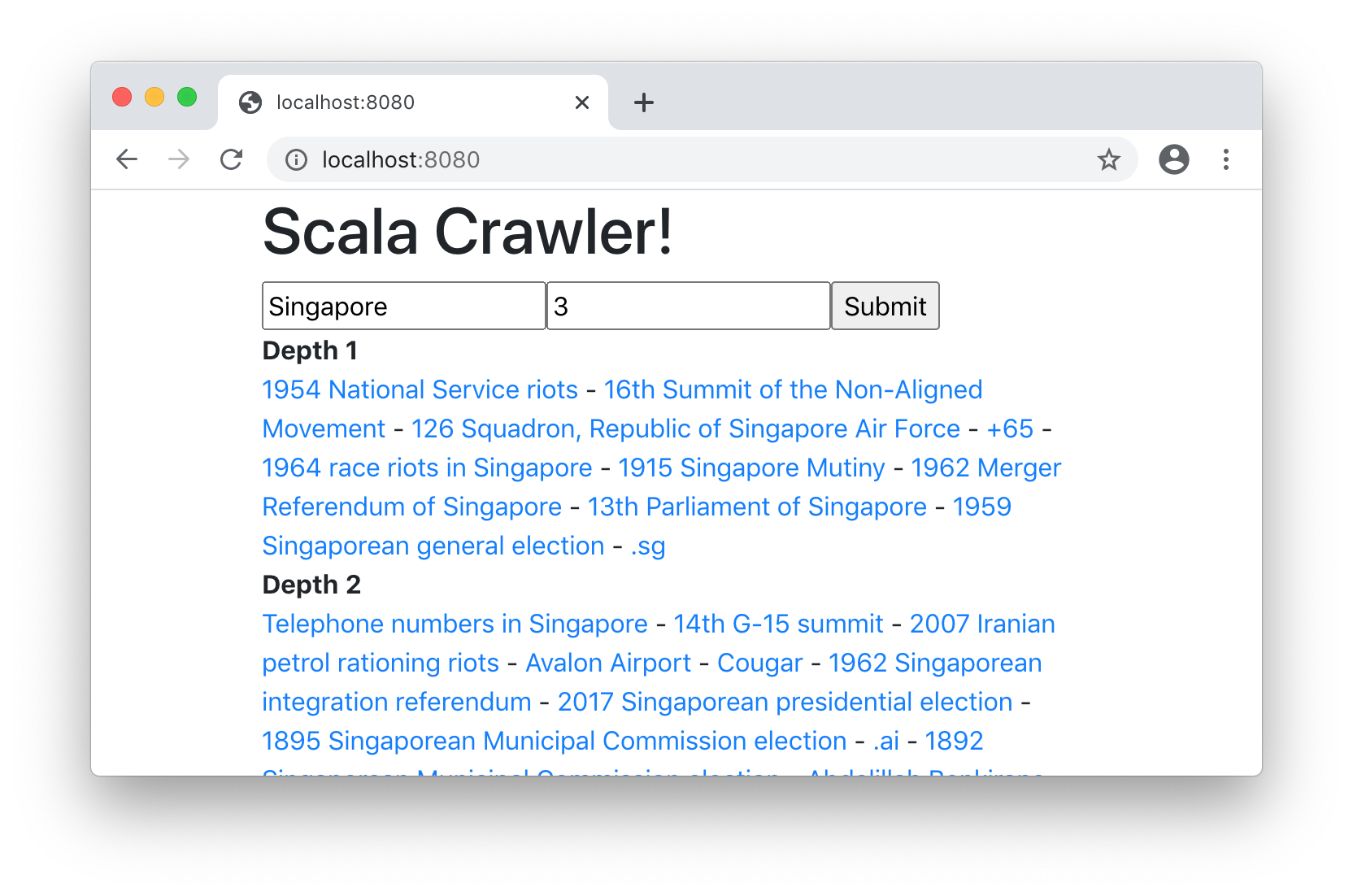
You may use any of the different crawlers we wrote in that chapter: sequential, parallel, recursive, or asynchronous. You may also implement the browser-server interaction via any of the techniques we learned in this chapter: HTML Forms (14.3), Dynamic Page Updates via Javascript (14.4), or in a streaming fashion via Websockets (14.5).
See example 14.8 - CrawlerWebsite